Blur sensitive messages before anyone looks over your shoulder.
Selective Blur hides sensitive subject lines and messages behind a blur, so a glance across a train, a café, or an open office does not turn into a data leak. Hover to reveal, move away to blur again. Works today across Gmail, Slack, Discord, Outlook, Telegram, WhatsApp, and Teams.
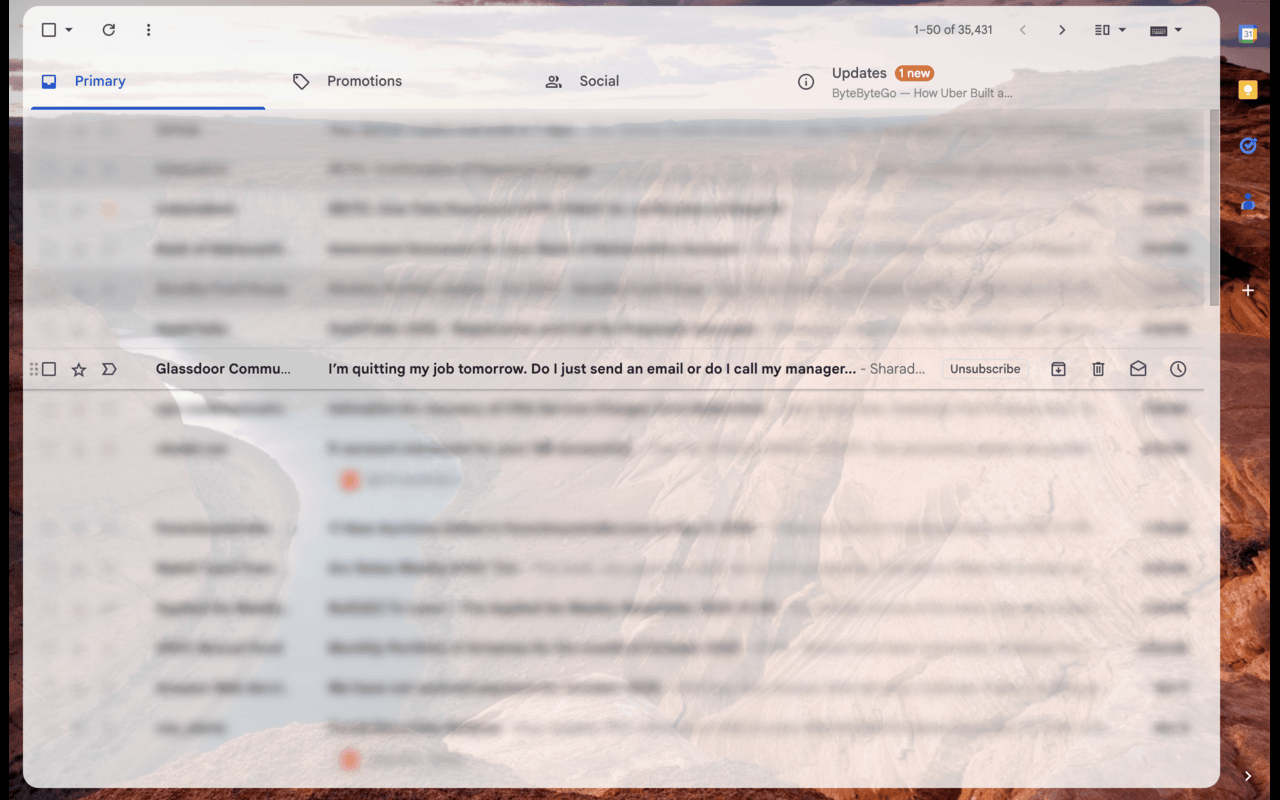
Every app you use, one blur engine
Click a tool to see exactly what's supported and how it looks.


Blur what matters, not your whole workflow
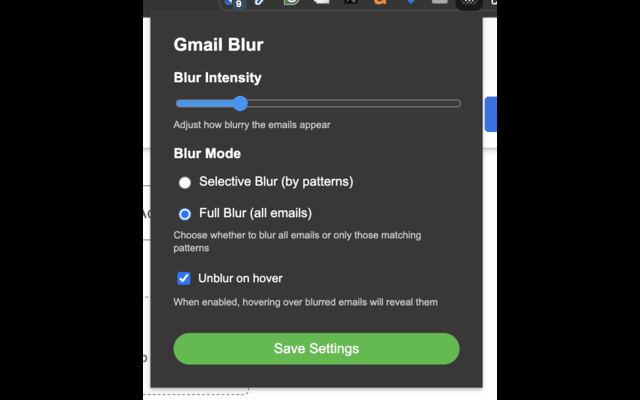
Choose exactly how much stays hidden from anyone looking over your shoulder. These controls work the same way across every supported app.
How it works
Add it to Chrome
Install Selective Blur (currently listed as Gmail Selective Blur) from the Chrome Web Store. No account, no sign-up.
Set your blur mode
Open the popup, pick Selective or Full blur, and add the patterns you want caught.
Work in public, worry-free
Matching messages blur the moment your inbox loads. Hover to peek, move on to blur again.
Frequently asked questions
Does this send my messages anywhere?
No. Everything runs locally in your browser. Patterns are matched against the page you are already looking at, and settings are stored in your Chrome profile, not on a server.
Which apps are supported?
Gmail, Slack, Discord, Outlook, Telegram, WhatsApp, and Microsoft Teams (all on the web, not the desktop apps), each with its own page below showing exactly what is covered.
What counts as a pattern?
Any comma-separated regular expression: a plain word like confidential, or something more specific like \d{4}-\d{4}-\d{4} to catch card-number-shaped text. Matching is case-insensitive.
Is it free?
Yes, Selective Blur is free on the Chrome Web Store.
Stop shoulder-surfers from reading your messages.
Install Selective Blur and set your patterns once. It takes less time than reading one more message.
Add to Chrome — it's free